
Excel is the most widely used data tool in the workplace, and most people are only using a fraction of what it can do. Montreal professionals at every level — from those building their first spreadsheet to analysts working with complex models — will find a course here that matches exactly where they are and where they want to go.

I had been using Excel for years but only scratching the surface. Al explained everything clearly, with examples that applied directly to my work. This was by far the most useful training I’ve ever taken.
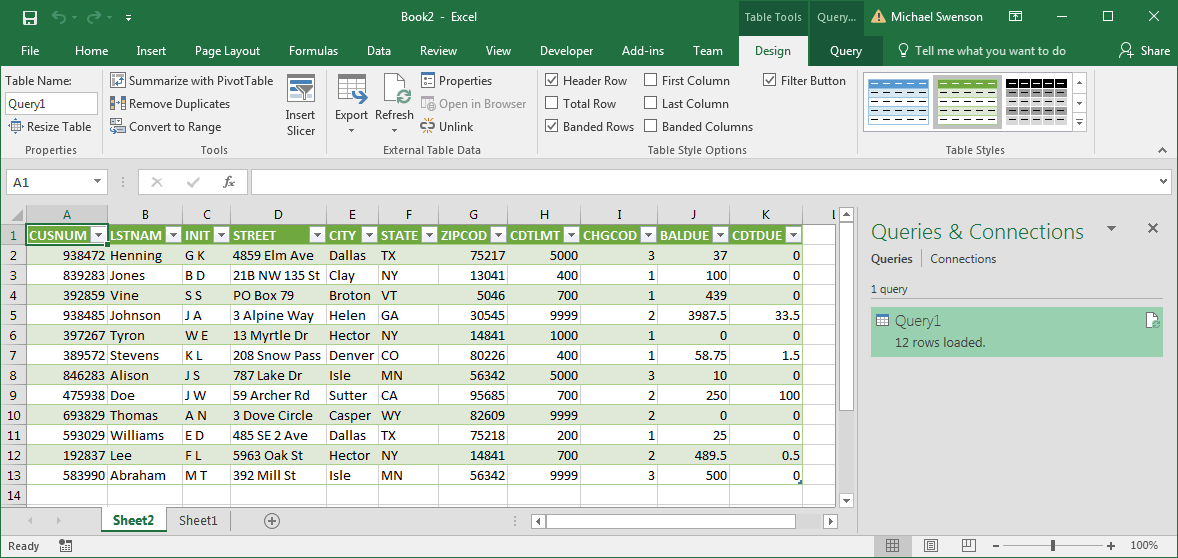
Power Query changes how you work with data in Excel. No matter where your data comes from or how messy it is, Power Query lets you connect, clean, and transform it quickly -- without formulas or manual effort. This course walks you through the essentials, so you can start using it on your own data right away.
Starting from zero with Excel? This one-day course gives you everything you need to get going. You'll learn how workbooks and worksheets are structured, how to enter and format data, how to write basic formulas, and how to use functions for everyday calculations. A solid, practical foundation for everything that follows.
There's a lot of ground between knowing Excel basics and truly using it well. This course closes that gap. You'll work with robust formulas, build Pivot Tables, create charts, and learn data analysis techniques that make a real difference in day-to-day work. Hands-on throughout, with exercises built around actual business tasks.
This course is for Excel users who are ready to go further. You'll tackle data consolidation across worksheets, external data connections, What-If analysis, macros, and rolling charts -- the capabilities that turn a solid Excel user into an indispensable one. Practical exercises throughout, focused on real-world scenarios.
Pivot Tables are one of Excel's most powerful features, and they require zero formulas to use. This course teaches you to summarize, filter, and analyze large datasets with just a few clicks -- plus how to build Pivot Charts that make your findings easy to communicate. Essential for anyone who regularly works with data in Excel.
Built for accountants, financial managers, and analysts who want to get more out of Excel. This course focuses on the financial functions that matter most in professional practice -- the ones that handle loans, investments, depreciation, and cash flow analysis. Practical examples drawn from real financial scenarios throughout.
Forecasting takes the guesswork out of planning. This course teaches you to use Excel to build reliable models for predicting revenue, expenses, and performance -- giving your organization a clearer picture of what's ahead. Whether you're projecting sales or managing budgets, these techniques apply directly to real business decisions.
Not every training need fits a standard course. If you have specific Excel topics you need to master, this option lets you build your own agenda. Choose what you want to cover, and we'll tailor the session around it. It's also a great fit for teams who share a common gap and want focused, relevant instruction.
Dynamic Arrays have fundamentally changed what's possible in Excel. Where traditional array formulas were complicated and error-prone, the new functions -- FILTER, SORT, UNIQUE, XLOOKUP, and others -- are intuitive and remarkably powerful. This course gets you up to speed on the features that Excel 365 users now rely on daily.
Anyone who works with data, reports, or spreadsheets will benefit. Our courses are designed for professionals in business, finance, administration, sales, marketing, HR, operations, and beyond. We offer beginner through advanced options, so there’s something for every level.
A live instructor guides you step by step. Each concept is demonstrated, then you’ll practice it right away. Training is delivered virtually, and sessions are hands-on from the start.
Participants receive a digital resource pack with step-by-step instructions and exercise files they can use during and after training.
No. If you’re new to Excel, you can start with our Excel for Beginners course. If you already use Excel and want to expand your skills, our intermediate and advanced courses will help you progress
We offer flexible options — from short 2-hour workshops to half-day, full-day, or multi-day sessions. The length can be tailored to your team’s needs.
While this is not a certification program, students receive a certificate of completion from Training Montreal as proof of professional development.
Depending on the level, courses cover everything from basic formulas and charts to advanced tools like pivot tables, Power Query, Power Pivot, and Macros. We also offer specialized courses in data analysis and Excel for business professionals. See the complete course listings, below.
Yes. We can adapt examples, exercises, and topics to reflect your industry, data types, and specific Excel challenges.
At Training Montréal, we help professionals build the skills that make work easier, faster, and more impactful. Our courses combine expert instruction with real-world projects so you can immediately apply what you learn.
Whether you’re creating stunning designs, managing complex projects, analyzing data, or producing compelling content, our goal is simple: to help you work smarter, not harder.
We are proud to be a Canadian company.

You can expect your instructor to be helpful and engaging. Your Microsoft Excel training will be hands-on, right from the start, and your day lasts about 7 hours including breaks and lunch. You will get lots of practice with the basics so you can be confident diving into projects back in the office. Your Microsoft Excel training is structured so that you understand and remember the lessons learned.
You will work on practical exercises—learning new skills and professional techniques that you will use in your own real-world projects. You will meet attendees who are like-minded people pursuing similar goals. You can expect lively Q&As. We hope you’ll ask all the questions you want. Please let us know before the event if you have any special requests or challenges.
» Cancellations made more than 5 days before a course date qualify for a full refund minus a $35 administration fee per student.
» Cancellations made less than 5 days before a course do not qualify for a refund but the class may be rescheduled.
» Cancellations made within 48 hours of the start time are not eligible for a refund and may not be rescheduled.
» We are not able to offer refunds or rescheduling for no-shows or uncompleted courses.
» There is no charge for rescheduling when you inform us at least 3 days before the course.
» An administration fee of $35 per person is charged when rescheduling less than 3 days before a course.
» Student substitutions are free. If you cannot take a course maybe your colleague can. Just let us know.
» It is rare that classes do not run as scheduled but we do reserve the right to reschedule previously confirmed classes.


