
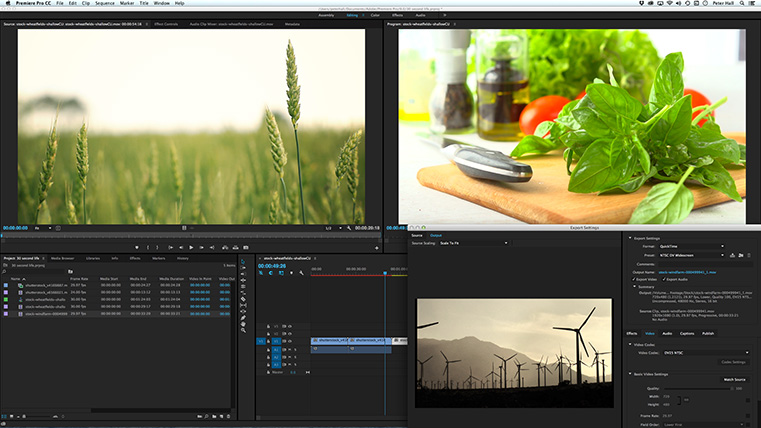
Video has become an essential skill across industries, and Premiere Pro is the editing software professionals rely on. Our Montreal courses are taught by people who use Premiere in real production environments — so the techniques you learn are practical, current, and immediately applicable. From a one-day quickstart to a full essentials course, we have the right entry point for your goals.

Prerequisite: Basic computer skills.
Video has become an essential skill, and you don't need months to get started. This one-day workshop teaches you the fastest path to working confidently in Premiere Pro -- editing footage, understanding the timeline, and producing a finished video. Hands-on from the first hour, with real results by the end of the day.
After this one-day course, you will be able to
» start and finish an entire video project
» import video, photos, and graphics
» perform basic editing
» work with music and audio tracks
» create your own titles
» export your finished video
Introduction
» Round Table (tell us about you)
» Touring the interface and workspaces
Setting Up
» Importing media
» Viewing and organizing assets
» Moving, copying, and deleting assets
» Creating sequences
» Your plans and strategy
Basic Editing
» Marking and sub-clipping videos
» Playback controls and keyboard shortcuts
» Ripple, roll, razor, and slip edits
» Moving clips and swapping shots
» Video and audio transitions
Audio
» Setting audio volume
» Keyframing audio volume
Stills, Titles, and Graphics
» Adding and adjusting stills
» Making adjustments
Exporting
» Quick export
» Common export settings
» Using the Adobe Media Encoder
Practice
» Exercises to practice your new skills
Prerequisite: Basic computer skills.
From cutting footage to final output, this workshop covers the full Premiere Pro workflow. You'll practice working with the timeline, learn how Premiere connects with other Adobe tools, and get comfortable outputting to different formats. Real-world exercises throughout mean you're building skills, not just watching demonstrations.
DAY ONE
DAY TWO
DAY THREE

» Cancellations made more than 5 days before a course date qualify for a full refund minus a $35 administration fee per student.
» Cancellations made less than 5 days before a course do not qualify for a refund but the class may be rescheduled.
» Cancellations made within 48 hours of the start time are not eligible for a refund and may not be rescheduled.
» We are not able to offer refunds or rescheduling for no-shows or uncompleted courses.
» There is no charge for rescheduling when you inform us at least 3 days before the course.
» An administration fee of $35 per person is charged when rescheduling less than 3 days before a course.
» Student substitutions are free. If you cannot take a course maybe your colleague can. Just let us know.
» It is rare that classes do not run as scheduled but we do reserve the right to reschedule previously confirmed classes.


